
Lead and enquiry
Capture the first conversation, organise people and applicants, and keep follow-up work visible.
Snytro Immi helps migration professionals manage clients, visa matters, itemised estimates, agreements, forms, documents, and communication in one local-first workspace.
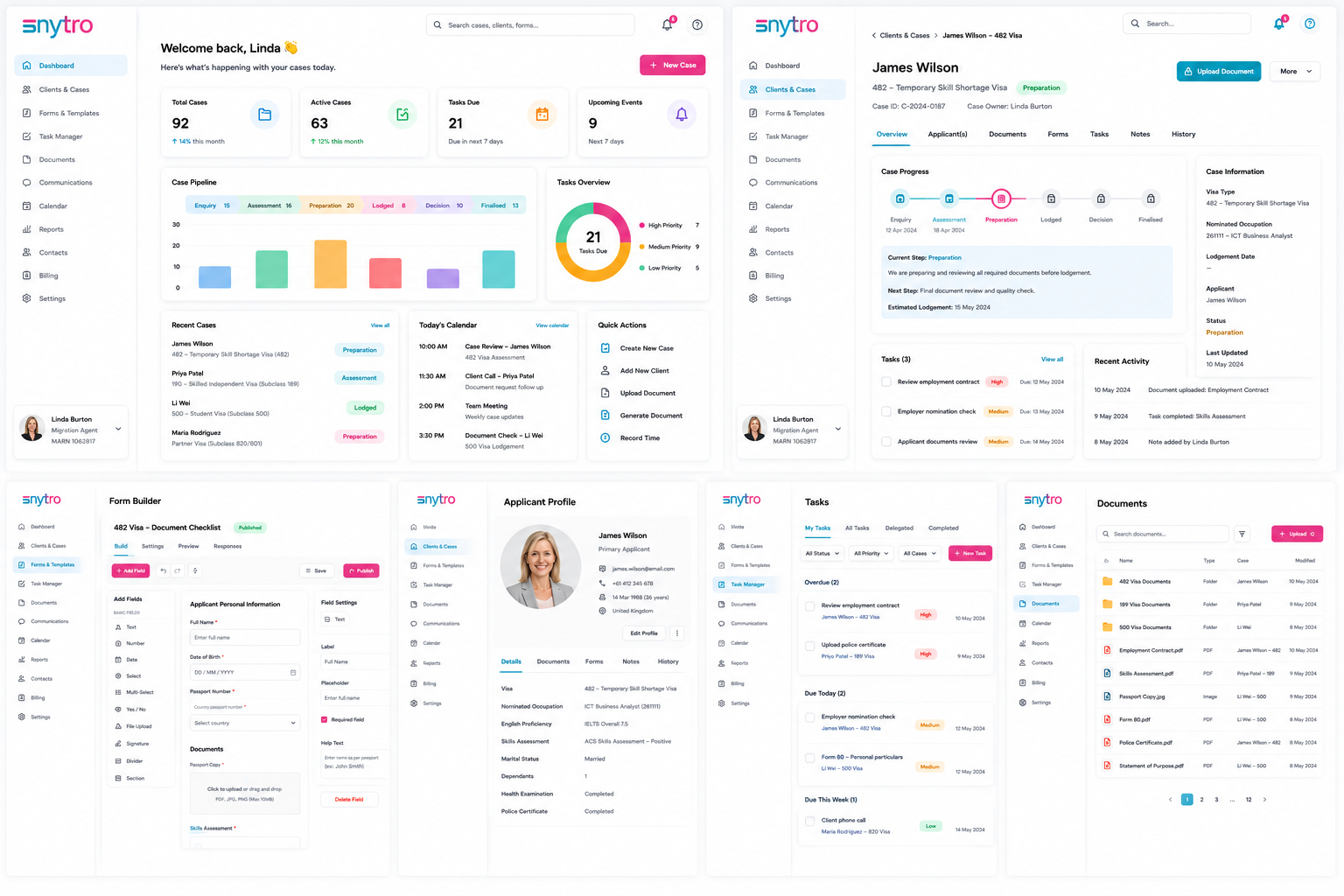
Product workflow
Snytro Immi is arranged around the commercial and compliance path of a matter: first enquiry, estimate, intake, agreement, payment, active case, document collection, review, and follow-up work.
Capture the first conversation, organise people and applicants, and keep follow-up work visible.
Prepare itemised estimates and share acceptance links without losing the audit trail.
Collect structured client information, revise service agreements, and track signatures.
Move accepted work into active visa matters with forms, documents, invoices, deadlines, and reviews.
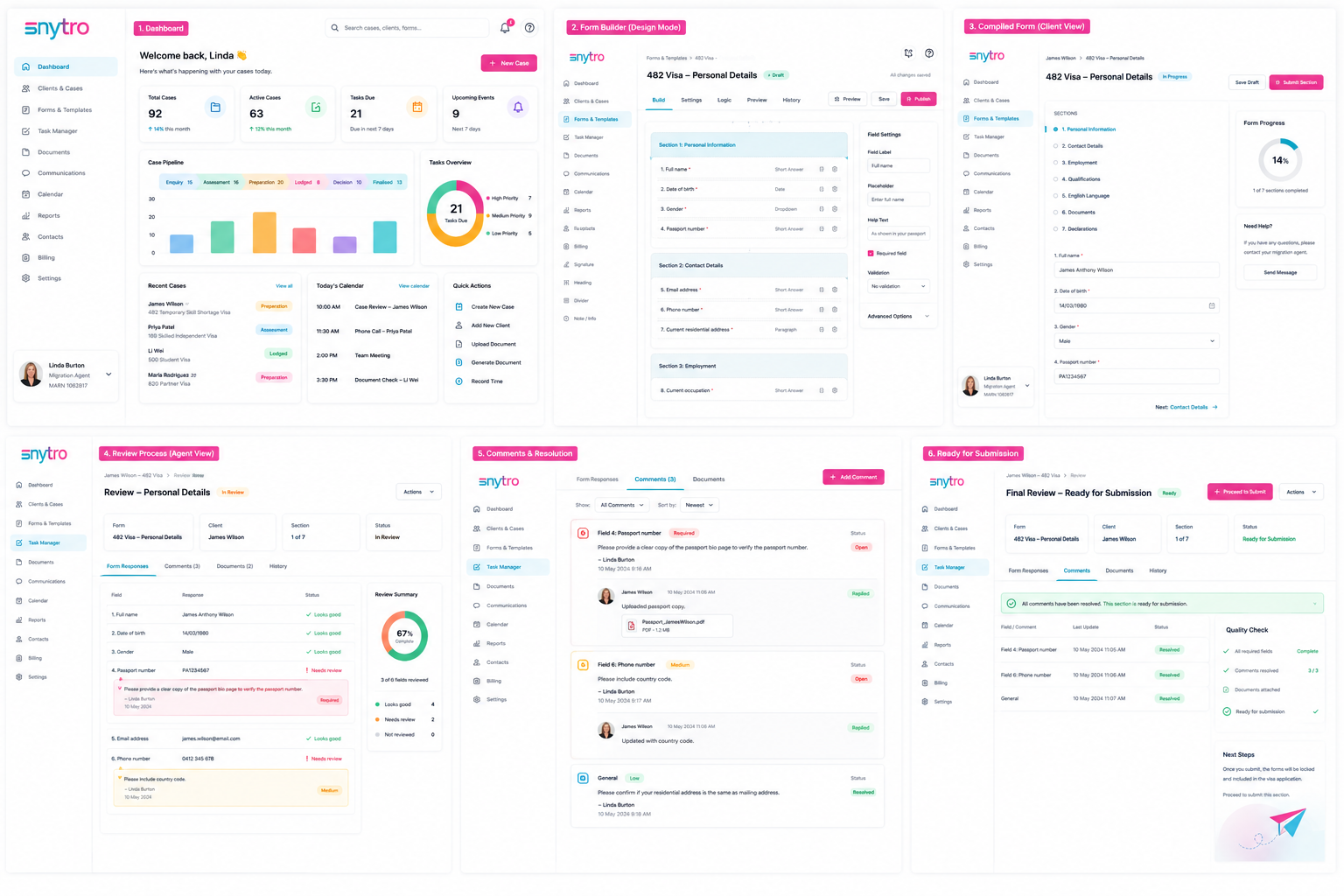
Forms and review
Create client-facing forms, request supporting documents, review answers, resolve corrections, and keep the case record organised before submission work continues.
Product capabilities
Keep each client's details, visa applications, stages, notes, forms, and documents together.
Build professional estimates from reusable cost items, generate PDFs, and track client acceptance or rejection.
Send signed links for forms, decisions, and document requests without exposing the agent's local database.
Connect Gmail or Microsoft 365 separately and send client messages from the migration professional's own email address.
Privacy posture
Practice and case records are managed from the user's own local workspace.
Gmail is used only for user-initiated sends. Snytro Immi does not read or sync the Gmail inbox.
Client responses, uploads, decisions, and signed links are designed for expiring, auditable workflows.
Google Drive or OneDrive can be connected separately when a practice chooses to mirror files.
How Google data is used
When a migration professional explicitly connects Gmail, Snytro Immi requests the narrow Gmail send permission so it can send client emails, PDF estimates, agreement links, form links, document requests, invoices, and reminders from that user's Gmail account.
Snytro Immi does not request permission to read, list, modify, delete, or synchronise Gmail messages. See the product-specific Privacy Policy for complete data handling and deletion information.
Product-specific legal pages
Snytro Immi has its own privacy, terms, support, and data deletion information.